Scare Your Favorite Streamer Controls & Play Tips
Master Desktop, Mobile, and Tablet inputs for knocking, scaring, carrying packages, selling, and upgrading in Scare Your Favorite Streamer.
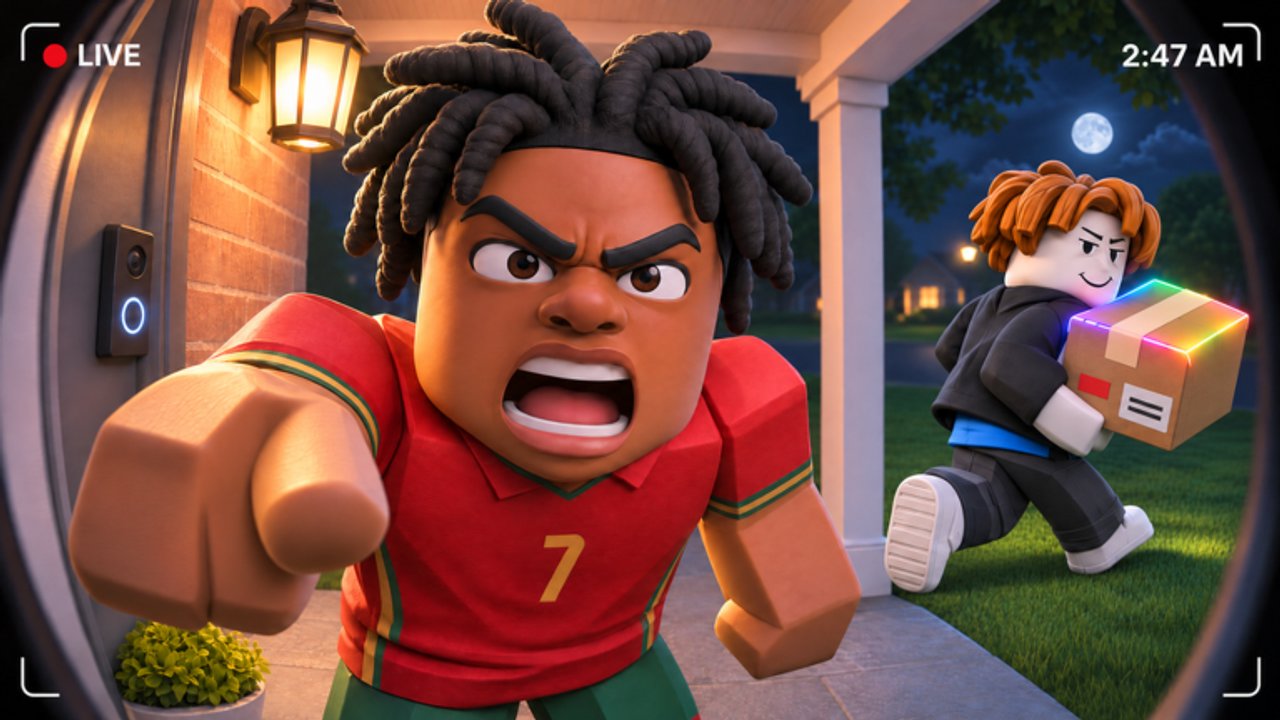
This Controls Hub is the hands-on companion to the Guides Hub for Scare Your Favorite Streamer. The game is a free Roblox simulation/tycoon by Bacon 1M CCU: you knock on doors, scare streamers, steal packages, let fans break packages into items, sell for cash, and upgrade treadmill Speed, scare trainer Scare, fans, and base. Servers cap at 7 players. Platforms: Desktop, Mobile, and Tablet. If scares feel inconsistent, this page is usually a better fix than rage-buying random upgrades — though the Tier List Hub still decides where cash goes once control is solid.
Default movement and camera
Scare Your Favorite Streamer uses standard Roblox movement. Exact keybinds can be remapped in Roblox settings; the table below is the default mental model most players share.
| Action | Desktop | Mobile / Tablet |
|---|---|---|
| Move | WASD | Virtual joystick |
| Camera | Mouse drag / right-stick style | Touch drag on open space |
| Jump | Space | Jump button |
| Interact / knock / confirm prompts | E or on-screen prompt click | Tap the prompt button |
| Open menus / shop / upgrades | HUD buttons / Esc-style menus | HUD icons |
Always watch for glowing prompts near doors, packages, fans, sell points, and upgrade stations. If a prompt does not appear, you may be out of range, on the wrong side of geometry, or mid-animation from a previous scare.
Knock and scare timing
The skill expression in early game is mostly timing and positioning, not combos.
- Approach the door cleanly — do not clip through other players in a busy 7-person lobby.
- Trigger knock when the interact prompt is stable.
- Commit to the scare prompt as soon as it appears. Late taps are the number-one Mobile failure mode.
- After a successful scare, look for the package interact immediately. Hesitation lets another player contest in contested servers.
- Carry the package along a clear path back toward fans / base. Avoid jump spam that flings the camera.
Desktop players should keep the cursor near where prompts spawn so click latency stays low. Mobile players should use thumbs that are not covering the prompt zone and consider a two-thumb grip so movement and tap are separate.
Practice reps matter more than watching one video. Still, mid-article gameplay references on the Guides Hub help you see the intended pace of a clean scare.
Package carry tips
- Treat the package like a fragile objective: long fall paths and silly ragdolls waste time.
- If the experience allows dropping, know how to drop intentionally when you are stuck — script users sometimes bind this; manual players should learn the default drop/interact cancel if present.
- Do not AFK in doorways. You block knocks for everyone and paint a target on yourself.
- Plan the route before you steal: door → clear lane → fans → sell. Speed upgrades make this route shorter; controls make it cleaner.
Fans, selling, and base UI
Your base is a small factory UI:
- Fans need packages delivered into their break flow. Stand where the deposit/interact expects you; spamming movement rarely helps.
- Sell interactions convert items to cash. Make selling a habit after every short farm cycle so upgrade shops reflect real money.
- Treadmill (Speed) and scare trainer (Scare) are dedicated upgrade interactions — walk up, open the prompt, confirm the purchase. Mis-taps on Mobile can buy the wrong level if you mash; slow down on expensive tiers.
- Base panels may include offline earnings info. Check them before you log off so you understand what idle cash you are leaving on the table.
If the HUD feels crowded on Tablet, lower graphics or UI scale in Roblox settings so prompts remain tappable.
Desktop vs Mobile vs Tablet checklist
Desktop
- Highest scare precision.
- Easiest camera scouting for free doors in a 7-player server.
- Best platform for reading dense upgrade text.
Mobile
- Fully supported — do not assume you need a PC.
- Favor slightly higher Scare investment if taps miss often (Tier List).
- Enable shift lock alternatives only if they help your personal aim; many Mobile players do better with plain touch camera.
Tablet
- Larger prompts help, but holding the device awkwardly causes mis-taps.
- Place the tablet on a stable surface for long farm sessions.
- Same loop as Mobile; same need for clear thumb lanes over HUD buttons.
Server awareness (7-player soft PvP for doors)
There is no giant battle royale layer, but door and package contention is real:
- Call your own timing — if two players knock the same door, animations collide and someone leaves empty.
- Rotate to free doors instead of tunneling one contested streamer prop.
- Be polite if someone is clearly mid-scare. The game fantasy is scaring streamers, not griefing kids for a common package.
Private servers (when available / purchased) are the calm way to learn controls without pressure. Public lobbies are better once knock → scare → steal is muscle memory.
Quality-of-life habits that feel like “better controls”
- Upgrade Speed so you spend less time holding forward (Tier List Hub).
- Keep the Roblox window focused; background overlays steal keystrokes on Desktop.
- Charge your phone; low-power mode can add input latency on Mobile.
- After each update, re-check prompt positions — UI moves happen.
- Skip risky scripts while you are still learning inputs; injected GUIs add extra buttons and ban risk on top of normal HUD complexity.
Beginner drill (5 minutes)
- Join a low-population server if possible.
- Knock and scare on three different doors without carrying yet — pure prompt practice.
- Steal one package, walk it to fans without sprinting into walls.
- Sell once, buy the cheapest Speed or Scare bump you can afford.
- Repeat until the prompt rhythm feels boring. Boring means ready.
Then graduate to the full loop in Getting Started and keep this Controls Hub bookmarked when a friend asks “how do I scare on phone?”
Related hubs
Good controls turn Scare Your Favorite Streamer from a clumsy door simulator into a tight little tycoon comedy. Tap clean, carry straight, sell often.
Frequently Asked Questions
Quick answers players ask most often.
What are the controls for Scare Your Favorite Streamer?
Use standard Roblox movement (WASD or joystick), interact with on-screen prompts to knock, scare, pick up packages, operate fans, sell items, and buy upgrades. Desktop uses click/E-style prompts; Mobile and Tablet use tap buttons.
Why do my scares fail on Mobile?
Late taps and thumb coverage over the prompt are common. Keep the prompt visible, tap as soon as it appears, and consider Scare trainer upgrades if timing is still tight.
Does the game work on Tablet?
Yes. Desktop, Mobile, and Tablet are all supported. Larger screens help with prompts; stabilize your grip to avoid mis-taps.
How many players share controls competition?
Servers hold up to 7 players, so door and package prompts can be contested even though this is not a massive PvP title.
Should I learn controls before using scripts?
Yes. Scripts add ban risk and extra UI. Learn knock, scare, carry, and sell manually first via Getting Started and this Controls Hub.